


Chess for Kids - Play & Learn
4.6829.00 Reviews
App Specs
- Version
- Varies with Device
- Updated On
- License
- Free
- Downloads
- 1,000,000+
- Developer
- Chess.com
- Categories
- Board
- Platform
- Android
Screenshots
 Analysis by AppCompare
The first few sessions are where a child-friendly chess app has to earn a place in a family routine: a new board, colorful characters and quick activities can make the game feel inviting, but the real test is whether a young player wants to return after the novelty wears off. Chess for Kids - Play & Learn is a board game from Chess.com, aimed at children who are curious about chess or just starting to learn. I see its strongest appeal in giving a beginner a welcoming place to explore the rules without making every session feel like a formal lesson.
Why the first week feels approachable
For a child who has never played, the hardest first step is often not remembering how each piece moves; it is feeling comfortable enough to keep trying after a mistake. The app’s playful presentation can help lower that barrier. In a short first session, a parent can sit alongside a child, let them explore the board and talk through a move without turning the experience into a test. That shared start is more useful than simply handing over a device and expecting the child to learn independently.
Chess works especially well in small doses. A family might open the app after school for one lesson or a quick game, then stop while the child is still interested. I would avoid treating every visit as a long practice block: younger learners often benefit more from returning to one clear idea, such as how a piece moves, than from being pushed through several unfamiliar concepts at once.
What can keep it useful over time
The longer-term value of a learning game depends on whether it supports a habit, not just a burst of curiosity. Chess can naturally provide that structure: a child can revisit an idea, try it on the board and gradually become more confident about making decisions. The most useful routine is one where the adult asks the child to explain a move in their own words. That small conversation turns a tap on a screen into active thinking, and it gives a parent a better sense of what the child has actually understood.
It is also worth connecting app sessions to chess away from the screen. If a child has been exploring how a piece moves, set up a physical board and ask them to find a legal move or show a simple position. The app can be a convenient starting point, while a real board helps children practise looking across the whole game rather than focusing only on the next prompt. That balance makes the experience more durable for a child who is developing a genuine interest.
Fit for different children and families
I would consider this a good fit for a beginner who enjoys colorful, guided activities and is happy to learn through a device. It can also work for a parent or caregiver who knows chess and wants a shared activity that gives them something concrete to discuss. The game is free to download and is rated for Everyone, which makes it an accessible option for families considering a first chess app. It has a 4.8 average from around 20,000 ratings and over 1 million installs, signs of a substantial audience rather than a niche experiment.
On the other hand, a child who already plays confidently may prefer a more competition-focused chess platform, a physical club or games against family members. Those alternatives offer different kinds of challenge and social contact. A child who dislikes animated, game-like presentation may also prefer a plain board and a printed guide. The right choice depends less on which format is objectively better and more on whether the child will willingly return to it.
Worth Reading Before You Choose

EA SPORTS FC Mobile 26 Is a Bigger Football Game, but It Takes Time

Flipboard Shows What News Apps Must Do Beyond the Feed

Switching to Android Auto Means Rethinking Your Driving Routine

Google Calendar Makes a Crowded Week Easier to Manage

Ludo King Makes the Most of the Minutes Between Plans

Baby Panda World Brings Quick Play to Modern Phones, but Its Game Library Feels Busy
Keeping sessions practical
A realistic weekday use might be a short session while dinner is being prepared: the child tries one learning activity, then plays a quick game with a parent afterward. I would keep the goal modest and specific—understanding one rule or thinking before moving—rather than promising rapid improvement. If attention is fading, stopping is often wiser than turning the app into a chore. Chess rewards patience, but that does not mean every practice session needs to be long.
For travel or a place with unreliable connectivity, plan ahead rather than assuming every part will be available offline. Some features require a stable internet connection, so I would check what works before relying on it during a journey. That is a practical limitation, especially if the app is meant to occupy a child away from home. At home, a parent can also decide whether online play suits the child’s age and readiness, instead of treating it as the automatic next step after learning the rules.
Costs, upkeep and possible fatigue
The free starting point makes it easy to try, but optional in-app purchases range from $7.99 to $48.99 per item. I would let a child use the available experience first and decide later whether an extra purchase would solve a real need. This avoids buying more content simply because the child is excited in the first week. It is also sensible to make purchase expectations clear before handing over a device, so an in-app prompt does not become an unexpected negotiation.
Maintenance is mostly about keeping the routine light and checking that the app remains a good match for the child. A parent does not need to supervise every move, but occasional conversation can help the child make sense of a loss or notice a pattern. Fatigue can set in if rewards become the only reason to play, if sessions feel repetitive, or if the child is pushed toward competition before they are ready. When that happens, a break or a physical board may be better than trying to solve the problem with more screen time.
First Impressions and User Interface
From the moment I opened Chess for Kids - Play & Learn, I was hit with vibrant colors and cheerful animations. The app is designed with kids in mind, so everything is super intuitive. The main menu is straightforward, with options like "Play," "Learn," and "Puzzles." It's clear the developers put a lot of thought into making sure the app is accessible for younger users.
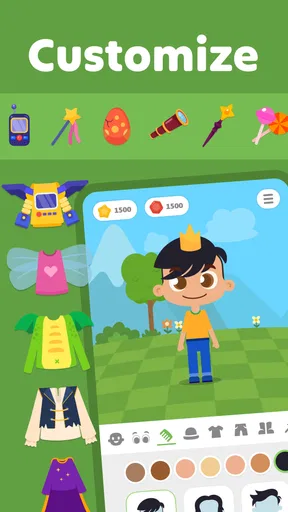
The characters are animated in a way that makes learning chess feel like an adventure. They have these cute avatars that guide kids through lessons, which definitely adds a personal touch. It’s like having a friendly chess buddy right in your pocket.
Learning Features
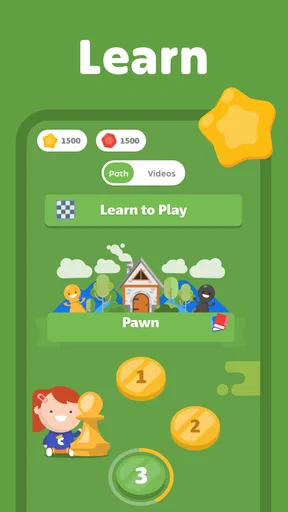
The "Learn" section is where the magic happens. It’s filled with interactive lessons that break down the basics of chess, piece by piece. The app uses a combination of videos, quizzes, and interactive boards to teach. I was impressed by how it makes complex strategies simple and digestible for kids.
What's cool is that the app adjusts the difficulty level as the child progresses. So, it keeps challenging them just enough without being overwhelming. The lessons also have this reward system where kids earn stars and badges, which is a fantastic way to keep them motivated.
Playing and Competing
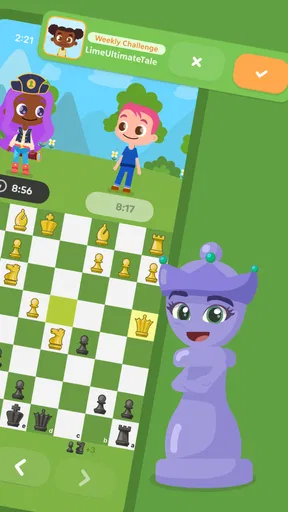
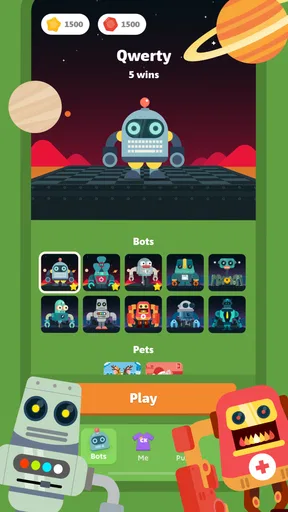
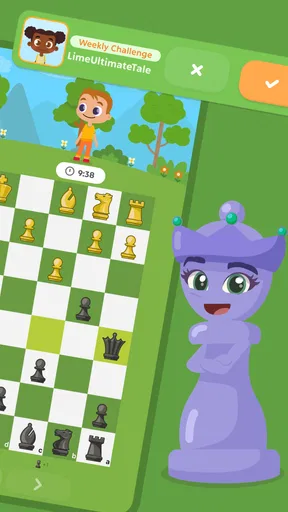
Once the basics are down, kids can jump into the "Play" section. They have the option to play against the computer or with other kids online. The matchmaking system ensures that kids face opponents of similar skill levels, which makes the games fair and enjoyable.
I have to admit, the online play feature is a game-changer. It’s like a mini chess community where kids can interact and learn from each other. The app also has built-in safety features, so parents can rest easy knowing their kids are in a secure environment.
Puzzles and Challenges
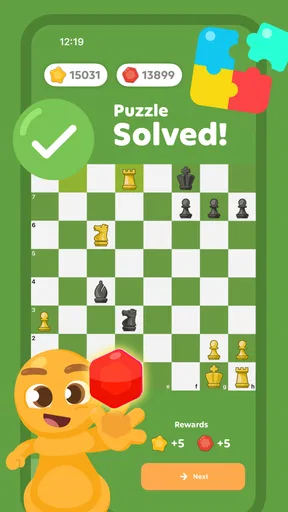
The "Puzzles" section is another highlight. It offers a wide range of challenges that test and improve problem-solving skills. The puzzles start simple but gradually increase in complexity. I found them to be an excellent way for kids to apply what they've learned in a fun and engaging way.
Each completed puzzle earns points, which can be redeemed for virtual goodies. This rewards system adds a layer of excitement and keeps kids coming back for more.
A Few Thoughts
One of the things I appreciated most about the app is its focus on learning and development. While it’s fun and engaging, it never loses sight of its educational purpose. It’s a perfect blend of play and learning, which is exactly what you want in an educational app for kids.
However, I did notice that the app requires a stable internet connection for some features. While this isn’t a deal-breaker, it’s something to keep in mind if you’re planning to use it on the go without Wi-Fi.
Also, while the app is free, there are some in-app purchases available. They’re not necessary to enjoy the full experience, but they do offer additional content that some may find valuable.
Final Thoughts
All in all, Chess for Kids - Play & Learn is an exceptional tool for introducing children to the world of chess. Its interactive lessons, engaging gameplay, and safe online community make it a standout choice for parents and educators alike.
If you’re looking to spark an interest in chess for your kids, this app is definitely worth a download. It’s not just about playing a game; it’s about learning valuable skills that will benefit them far beyond the chessboard.
So go ahead, give it a try, and watch as your little ones embark on their chess adventure!
Does it earn a lasting place?
For an early learner, I think it can earn a regular spot if its lessons lead into real play and conversation, rather than becoming another stream of screen rewards. The app was released on April 7, 2013, and its longevity is a useful reminder that chess itself supplies much of the replay value: positions change every game, and a child can keep noticing new choices. Still, no chess app can create a lasting habit on its own. A child’s interest, the adult’s support and a comfortable pace matter more than daily streaks or a crowded schedule.
Compared with a plain chessboard app, this one leans toward teaching and child-friendly engagement instead of presenting a bare board for experienced players. Compared with a chess club or a family game, it is more convenient for solo practice, but it cannot replace the encouragement and explanation a patient human opponent can offer. I would use it as one part of a beginner’s toolkit: let it introduce concepts, then occasionally play together and ask the child to explain why they chose a move.
My overall recommendation is to try it with a specific, low-pressure purpose: help a child take the first steps into chess and see whether they enjoy thinking ahead. It suits families looking for a playful entry point, but it is less compelling for children who want serious competition or adults seeking a stripped-back chess client. If enthusiasm fades, that is not necessarily a failure; a board game, a break or a different learning style may be the better next move. The app is at its best when it makes chess feel approachable while leaving room for curiosity to grow beyond the screen.
Pros
- Engaging tutorials for beginners.
- Colorful graphics appeal to kids.
- Safe
- monitored chat feature.
- Variety of puzzles and challenges.
- Encourages strategic thinking.
Cons
- Limited features in free version.
- Requires internet for multiplayer.
- Some ads in free version.
- May be too simple for advanced players.
- Occasional lag in gameplay.
FAQs for Chess for Kids - Play & Learn
What age group is Chess for Kids - Play & Learn suitable for?
Chess for Kids - Play & Learn is designed for children aged 5 to 12. The app includes fun, interactive lessons and tutorials that cater to young minds, making learning chess an enjoyable experience. The user interface is colorful and engaging, specifically crafted to keep kids interested and entertained while they learn.
Is Chess for Kids - Play & Learn a safe environment for children?
Yes, Chess for Kids - Play & Learn prioritizes safety and ensures a child-friendly environment. The app does not contain any advertisements or external links, and all interactions are monitored. Parents can feel confident that their children are learning in a secure space, free from inappropriate content or online predators.
Does the app offer lessons for beginners?
Absolutely! The app is perfect for beginners, as it offers step-by-step tutorials and lessons tailored for kids who are new to chess. The lessons are interactive and designed to teach the basics of chess, from how the pieces move to strategies for winning, in a way that is easy to understand and follow.
Can my child play against other players or against the computer?
Children can enjoy playing against both the computer and other players. The app allows kids to challenge friends or other users in a safe environment, with matches appropriately paired by skill level. Additionally, playing against the computer offers varying difficulty levels to help them improve their skills progressively.
Are there any in-app purchases in Chess for Kids - Play & Learn?
The app offers some optional in-app purchases for additional content and features, such as advanced lessons or exclusive board themes. However, the core functionality and basic lessons are available for free, allowing children to learn and play chess without the need to spend money. Parents can control and restrict these purchases easily.


